
Marketing and communication agency specialized in golf, with AI and video for businesses. Growing brands from Cádiz and Malaga since 2012.
See our projects ›If you don't know where to start, write to us and we'll work it out together.
Contact ›Your website may be losing bookings right now without a single alarm going off. No error, no warning, nothing visibly broken: you just get fewer bookings than you should. We call these silent losses booking leaks, and they almost always come from the same three places.
The uncomfortable part is that none of the three has anything to do with design. They’re plumbing: they sit under the surface, you can’t see them, and you can fix them. These are the three booking leaks we check first, before touching anything else.
Booking leaks are not a design problem
When bookings drop, the typical reaction is to redesign. Change the homepage, move the photos, try a different button colour. Sometimes it helps. Most of the time it doesn’t, because the design was fine and the loss was happening in another layer. Booking leaks are rarely patched with a new homepage.
Booking leaks are technical, and that’s good news, because technical problems can be measured. How long the page takes to appear, whether the booking engine can be used with one hand, how much data you ask for before letting someone book. All of it has a number, can be benchmarked and can be corrected. There’s no need to argue about taste.
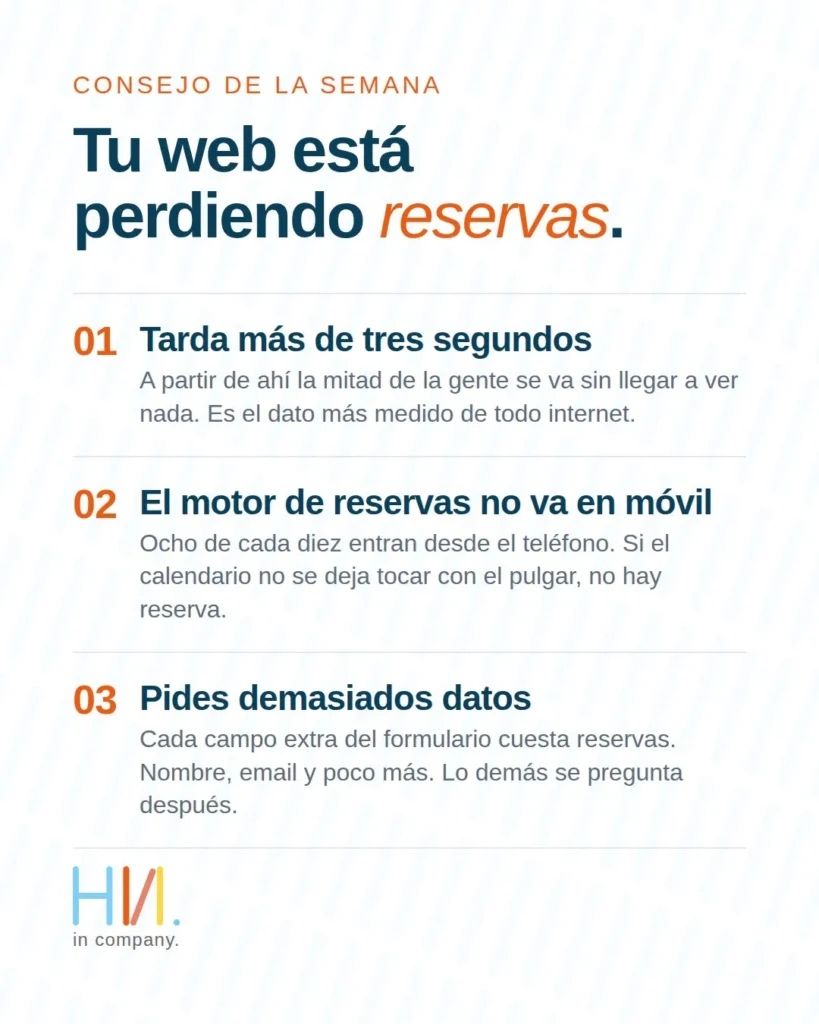
The website takes more than three seconds to load
We’re not the ones saying this; Google publishes it: 53% of users abandon sites whose pages take more than 3 seconds to load. Half of the people you worked hard to bring in leave before they see the first photo of the room or the course.
The framework for measuring it is public and it’s called Core Web Vitals. These are the metrics Google uses to assess loading experience: how long the main content takes to render (LCP), how the page responds when a user taps it (INP) and whether elements shift on their own while loading (CLS). That’s where you can see, at a glance, the first of your booking leaks.
The causes tend to be boring and repetitive: images uploaded at full size, plugins that load on every page even though only one needs them, heavy fonts, background videos on the homepage. None of that is fixed by redesigning. It’s fixed under the hood, which is where the most expensive booking leaks get closed.
The booking engine doesn’t work well on mobile
Eight out of ten visits we see when auditing booking websites come from a phone. That’s not a study; it’s what shows up again and again in the analytics of the clients we work with. Yet the booking engine is almost always tested on the office desktop, which is exactly where these booking leaks can’t be seen.
Try booking from your phone, with one hand, out on the street. If the calendar doesn’t respond to your thumb, if you have to zoom in to pick a date, if the guests dropdown runs off the screen or the confirm button ends up under the keyboard, there’s your second booking leak. The person wanted to book and couldn’t.
One thing to keep in mind: the engine is usually third-party software embedded in your site. That doesn’t leave you without options. You can update to a newer version, adjust the container where it’s displayed, review the step into payment and check that the whole flow works on genuinely small screens, not in the browser simulator.
The form asks for more data than it needs
Every extra field is one more chance for someone to walk away and not come back. Full address, national ID number, landline, how did you hear about us, two legal checkboxes in a row. All of that is asked before the person has fully made up their mind, and that’s where the third of the booking leaks opens up.
The rule we apply is simple: the first step only includes what’s needed for the booking to exist. Name, email and little else. The rest can be asked later, once the person is in and has a reason to complete it. A piece of data you can request by email tomorrow doesn’t need to stop a booking today: of the three booking leaks, this is the cheapest to close.
How we review a website’s booking leaks
Before proposing anything, we measure. We load the site over a normal mobile connection, not the office fibre. We look at Core Web Vitals using real user data, not just lab data. We make a complete booking from a phone, start to finish, and count the form fields one by one.
That produces a short diagnosis: which booking leaks you have, what it costs to close them and in what order it makes sense to do it. You almost never need to rebuild the whole website. There are almost always two or three fixes that make a difference straight away.
And there’s one more reason to get on with it: speed and mobile experience no longer affect only bookings, but also how Google sees you and how AI search engines cite you. A slow website loses on both fronts.
Tell us about your project →
Let’s talk SEO and GEO →
Frequently asked questions
Can I measure my website’s speed myself?
Yes. PageSpeed Insights gives you the Core Web Vitals for a specific URL, and Search Console shows you the whole site using real user data. It’s the starting point for knowing whether you have booking leaks caused by loading speed.
Do I need to rebuild the whole website to fix this?
Usually not. The three points in this article are fixed on the website you already have. A rebuild makes sense when the technical foundation is exhausted, not when the problem is image weight or a long form.
Does speed affect Google rankings?
Yes. Core Web Vitals are part of the page experience signals Google uses, so a slow website doesn’t just convert worse: it also competes worse for the visit.
What if my booking engine comes from an external provider?
We work on it the same way. We review how it’s integrated, how it behaves on small screens and which version you’re running. Many of these booking leaks are closed by adjusting the integration, without changing provider.
How long does it take to close these leaks?
It depends on how the website is built and how many of the three points affect you. That’s why the diagnosis comes first: until we’ve measured, any timeline we gave you would be made up.